



No longer available to new downloads** Not compatible with iOS 10 +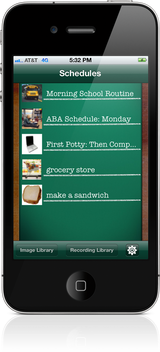
First-Then visual schedule is an affordable user-friendly mobile application designed for caregivers to provide positive behavior support through the use of “visual schedules”. First-Then was designed for individuals with communication needs, developmental delays, autism spectrum disorders or anyone who would benefit from a structured environment. First-Then allows schedules to be created “on the go” and customized to the needs of the individual. Schedules can be created to show daily events or steps need to complete a specific activity or daily events. Use the app to show: *Daily Events *Routines *Specific Steps to complete an activity (ex: use the bathroom, make a sandwich, get dressed) *Any activity that requires a transition. |

Testimonials:
“First Then gives you total control over visual schedules. I don't see how an app could do picture schedules on the iPhone any better”
~ www.autismepicenter.com "The 25 best iPhone Apps" "If you have a child with special communication needs, this is a great tool to engage them in the day-to-day routine and calm them when life gets a bit chaotic. Using visual cues, kids adn event adults can grasp a routine for hte day-gret for people that always need to know 'what's next?'." ~ www.makeitbetter.net |



|

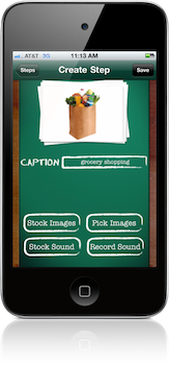
Add custom images to your schedules by using the iPhone’s built in camera, the built in Internet image feature or download images from your personal computer and save onto the “camera roll” album for future use in other schedules.
Voice can be recorded and a message added to the images to help further reinforce schedule and to aid with receptive and expressive language acquisition. |

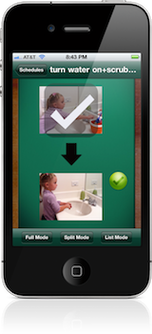
This option allows the user to go into the settings feature of the iPhone and enable a “checklist option”. User can now touch a small white check at the corner of an image that will then place a larger check on the image and fade the image. |
|
|

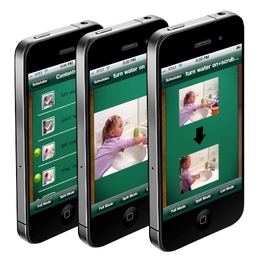
First-Then allows a schedule to be viewed in three different types of formats:
|

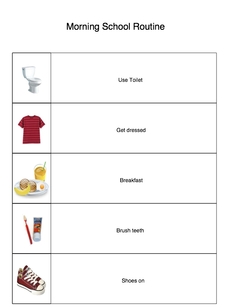
The app allows you to select copies of saved schedules and email a PDF version to your email account. You then can print of copies of these schedules to save for when your iDevice is unavailable. |
|

First-Then allows saved schedules to be shared from one device to another via File-Sharing on iTunes. You can also save schedules to your computer using this same feature. |
|
